The evening report is written by the person it measures.
Dialmio team call report app for sales teams, written by the calls
Dialmio builds the team call report from the calls themselves: calls, talk time, outcomes and open follow-ups per person, ready by evening.
Three days free, nothing locked, no card.

How does Dialmio produce a daily call report?
The daily call report in Dialmio assembles itself, because every business call already carries its duration, its outcome and the lead it belonged to, so counting them per person and per day needs nothing from the callers beyond the work they have already done. An owner opening the dashboard at six in the evening sees each caller with calls attempted and connected, minutes spent talking, how the outcomes fell across the pipeline, how many incoming calls were missed and returned, and which follow-ups are still open. A manager sees the same view for the people assigned to them and no further, which is set per employee rather than assumed. The report covers any date range, exports as a spreadsheet where the right to export has been granted, and can be sent as a daily summary to an owner who is on site rather than at a screen.
In short
- Calls, talk time, outcomes and open follow-ups per person
- Any date range, and a daily summary for owners on the move
- Managers limited to their own team by permission
- Nobody writes it: the calls are the report
At a glance
Team call reports: what does the feature do, and where does it stop?
| Team call reports | |
|---|---|
| What it does | The day per person, ready by evening, written by nobody. |
| Best for | Owners and managers tired of collecting evening reports from every caller |
| Where it runs | Any Android 8 or newer phone, calling on its own SIM; the owner dashboard opens in any browser |
| What is included | Part of the one plan, ₹162 per user each month on the yearly plan, or ₹249 on the three-month plan, taxes extra, with no per-minute or per-lead charge |
| Limits | Calls placed on a second handset or another SIM, outside the app, do not appear |
Facts checked September 2026.
How it works
How do you set up and use team call reports?
-
01Group the team
Add each caller on the dashboard and assign them to a manager. Rights for reporting, exporting, transferring and deleting are set per person at the same time.
-
02They call, it counts
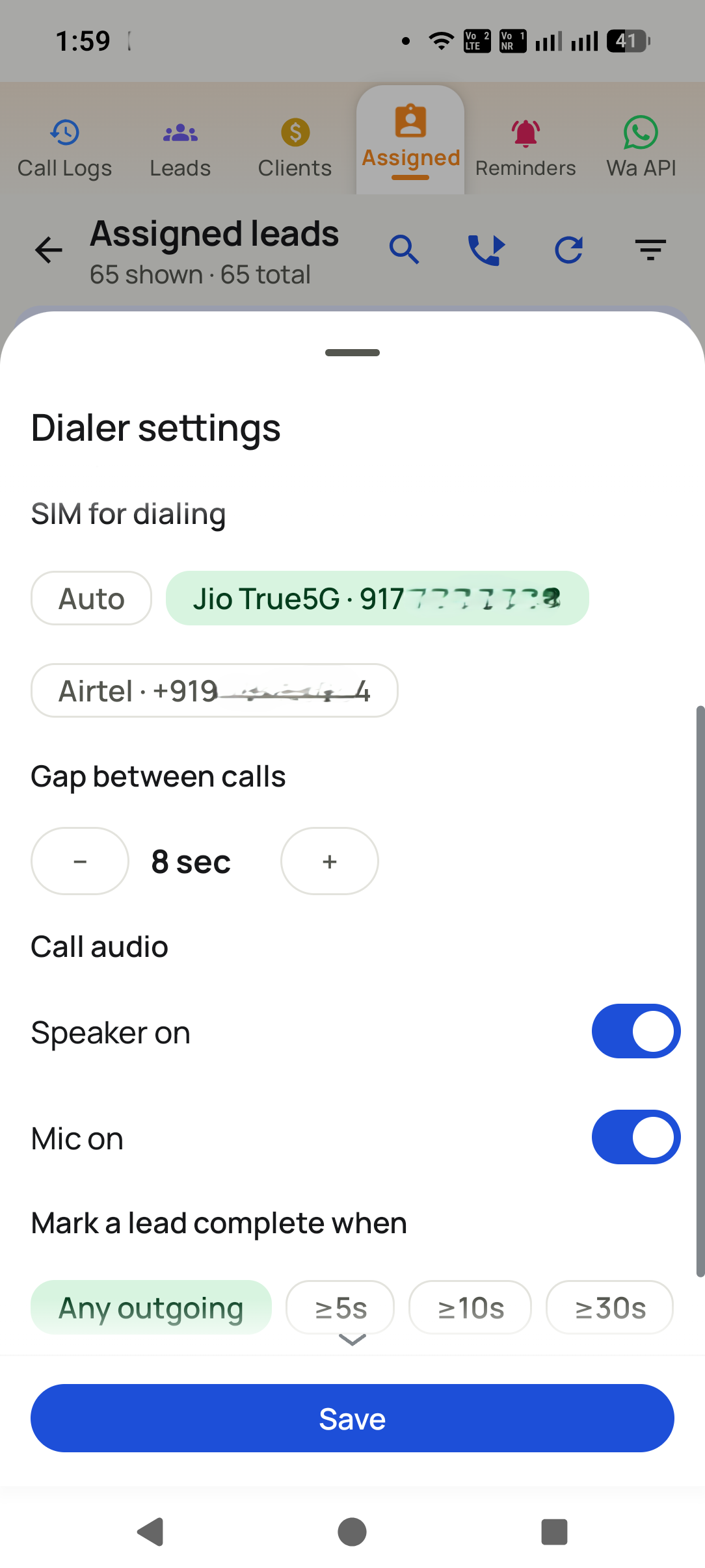
Every business call through the app is logged with its lead, duration and outcome. Callers do nothing for the report beyond closing the after-call sheet they already close.
-
03Read any day, any range
Open today, yesterday, the week or the quarter. Compare people on the same measures, drill into a caller to read the actual notes, and export the range where permission allows.


What you get
What do you get with team call reports?
No evening negotiation
A report produced by the person being measured is a conversation about the report. When the figures come from the calls, the conversation moves to what to do about them.
Visible while the day can change
A slow morning that appears at noon can be fixed by lunch. The same fact arriving on Friday is only a post mortem.
Team shape, not just totals
Comparing callers on the same measures shows where coaching pays, which a company total hides completely.
Open loops on the report
Follow-ups still outstanding sit beside the activity, so a caller with impressive call counts and forty forgotten callbacks does not read as the best performer.
Permissions that hold
A manager sees their own team. Export, transfer and delete are granted separately, so reporting access does not accidentally become data access.
A record that survives people
Reports are drawn from the company account, so a month of history is still readable after the caller who produced it has left.
From teams using Dialmio
What do owners and callers say about Dialmio?
The column that changed my mornings is the gap between a lead being assigned and the first ring. It used to be hours. It is minutes now, because everyone can see it.
The lost-leads list was uncomfortable the first time I opened it. We called forty of them back over a fortnight and two became customers.
Site staff clock in with a selfie where they stand instead of sending me a photo on WhatsApp. Attendance is no longer an argument every morning.
These are the words of customers who agreed to be quoted this way, sent over WhatsApp or said on a call, shortened only where they ran long. No star total or review count is published, because there is no public rating page to point at yet. Last checked September 2026.
Questions
What do people ask about team call reports?
How does Dialmio produce a daily call report?
The daily call report in Dialmio assembles itself, because every business call already carries its duration, its outcome and the lead it belonged to, so counting them per person and per day needs nothing from the callers beyond the work they have already done. An owner opening the dashboard at six in the evening sees each caller with calls attempted and connected, minutes spent talking, how the outcomes fell across the pipeline, how many incoming calls were missed and returned, and which follow-ups are still open. A manager sees the same view for the people assigned to them and no further, which is set per employee rather than assumed. The report covers any date range, exports as a spreadsheet where the right to export has been granted, and can be sent as a daily summary to an owner who is on site rather than at a screen.
Does the report include calls made outside the app?
Once Dialmio is set as the phone dialer, business calls go through it and are counted. Calls placed on a second handset or another SIM are outside the app and do not appear, which is worth knowing when a caller volume looks unexpectedly low.
Can I get the report by WhatsApp or email?
A daily summary can be sent to the owner, which suits businesses where the owner spends the day on site rather than at a computer. The full dashboard stays available in a browser for anything deeper.
Can a manager export their team data?
Only if the owner grants exporting to that manager. Reading the report and taking a copy of it are separate rights, so a manager can supervise without being able to walk away with the list.
How far back do reports go?
For as long as the account has existed. History is kept in the company account rather than on the phones, so last year is readable even if every handset has since been replaced.
Can I compare two callers directly?
Yes. The team view puts callers side by side on the same measures for the same period, which is the comparison most owners actually want and the hardest one to assemble from written reports.
Does it show which leads each caller is sitting on?
Yes. Open leads by stage per caller sit beside the activity figures, so a caller holding fifty untouched enquiries is visible before those enquiries go cold.
Can the owner watch each caller during the day?
Yes, live, in a browser. The dashboard shows calls attempted and connected, talk minutes, outcomes by stage, missed calls and whether they were returned, and the delay between a lead being assigned and first being rung, per person and per lead source.
Can I export call reports?
Yes, for any date range, as a spreadsheet. Exporting is a right on its own, which means somebody can call a list all day and still be unable to carry it out of the building.
Does Dialmio record calls?
Dialmio logs that the call happened, how long it lasted, which lead it belonged to, the outcome chosen and the note typed. Audio capture is blocked for third-party apps on many Android phones, so it is not sold as a headline feature, and a vendor promising it on every handset deserves a pointed question.
Is employee call tracking legal in India?
Logging business calls made on a work app, with the employee told about it, is normal practice and consistent with Indian law as commonly understood. Dialmio keeps the fact, duration and outcome of business calls placed or answered through the app against your leads. Personal calls outside the app are not read, and staff can see the same log the owner sees.
Read next
Which features work alongside it?
Follow-up reminders that ring
Callbacks ring like an alarm at the agreed hour, with the last note already on screen.
OpenLead records and pipeline
Your stages, your fields, one thread per number, updated by the call itself.
OpenCall analytics and talk time
Talk time, connect rate and outcome spread, measured rather than reported.
OpenA daily report nobody has to sit down and write
Updated 7 July 2026
Fixing the reporting habit
Callers write an evening summary.
Stop asking for it. A report compiled by the people it measures is not evidence, and the hour it consumes is the most expensive hour of their day. If the tool cannot produce it without them, that is what to replace.
The owner asks the manager, who asks the team.
Let the owner read it directly. Every hop between the calling and the reading adds a delay and a chance to round the numbers upward. A browser view removes both.
The report shows activity but no outcome.
Report on outcomes recorded too. Activity without outcomes tells you the phones were busy. It does not tell you whether anything was written down, which is what next week depends on.
What managers ask
What belongs in a daily call report?
For each person and each day: calls made, minutes talked, outcomes filed, missed calls returned and follow-ups honoured. Together those five are hard to fake, and extra columns tend to be glanced at once and then ignored.
Does the owner need the app installed?
Not usually. Callers need the app because they are making calls. An owner reads the day in a browser, which is where a comparison across people is actually legible.
How do we handle a caller who disputes the numbers?
Show them the source. Figures read from the handset call log are checkable against the phone in their hand, which turns a disagreement about effort into a conversation about the list they were given.
Is a weekly report enough?
For trends yes, for exceptions no. Missed calls not returned and follow-ups not kept need looking at daily, because both stop being recoverable within about a day.
What this rests on
- The reporting described is what Dialmio collects from the handset call log and shows in the browser dashboard.
- The guidance on which measures resist gaming reflects what teams of this size report in practice.
What this page does not claim
- This is a page about our own reporting. The argument against asking callers to write reports holds whatever you use instead.
Worth quoting
- Calls made, talk time, outcomes recorded, missed calls returned and follow-ups kept are the five figures that resist gaming together.
- A report compiled by the people it measures is not evidence.
- Every hop between the calling and the reading adds delay and a chance to round upward.
- Figures drawn from the handset call log are checkable against the phone in the caller hand.
- Missed calls and unkept follow-ups need daily attention, because both stop being recoverable within about a day.
Put every call your team makes on the record
Three days free, nothing locked, no card.
₹162 per user per month on yearly billing. Every feature in one plan. Prices are per user, exclusive of taxes.