Most leads don’t say no. They go quiet. The caller tries twice, gets busy, and the lead is forgotten, until a competitor’s WhatsApp reminds them.
A WhatsApp drip campaign in Dialmio keeps the conversation going for you: a short series of messages over the next days, sent automatically, that stops the moment the customer replies.
How a drip works
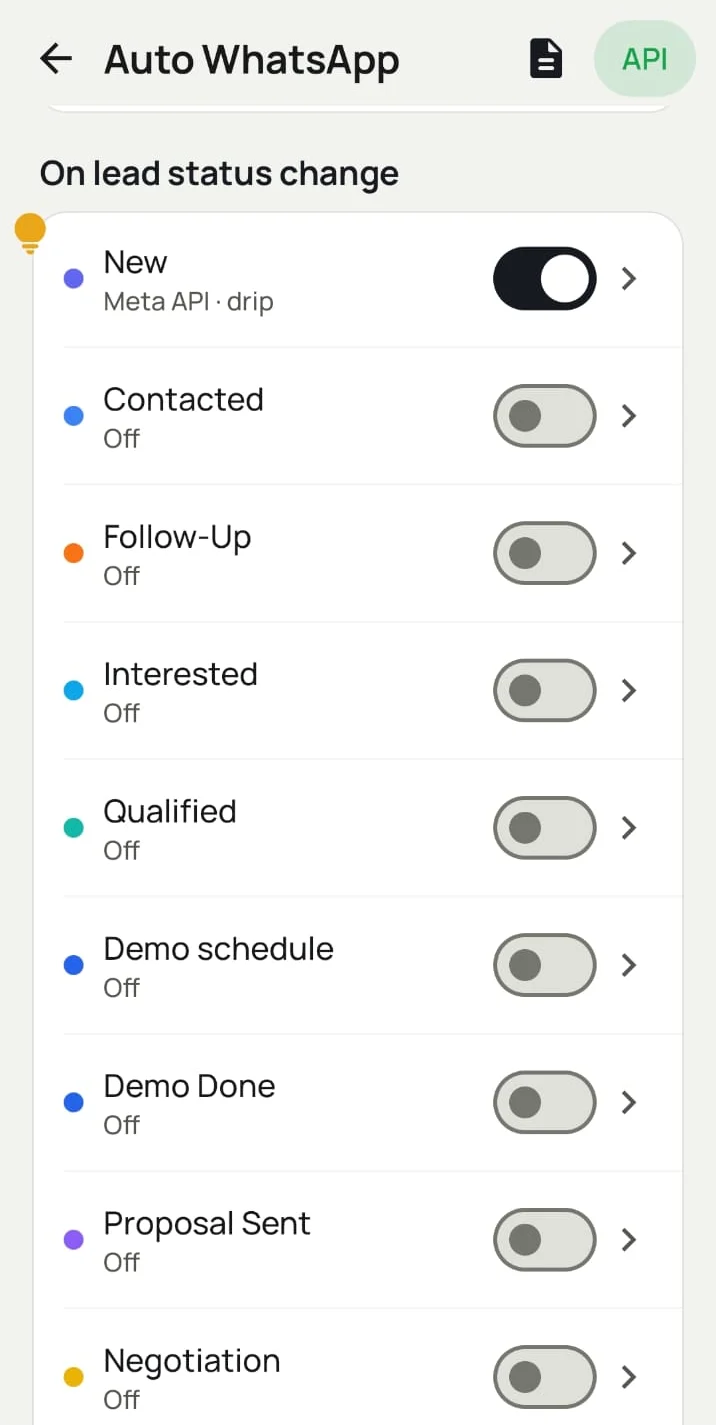
- Something happens to the lead: usually a status change like New or Interested.
- Day 0: the first message goes out.
- Next days: the next messages follow on the days you set.
- Customer replies → the series stops, and the reply lands in the WhatsApp CRM inbox for the lead’s owner.
- No reply → the series finishes and the lead stays on its follow-up date for a call.
Drip playbooks you can copy
| Situation | Day 0 | Day 2 | Day 5 |
|---|---|---|---|
| New enquiry | Welcome + what we do | Brochure / price list (PDF) | “Shall we call you?” with buttons |
| Interested, no demo yet | Demo booking link | Short customer story | Last reminder + offer |
| Proposal sent | “Here’s your quotation” | “Any questions?” | “Quote valid till ___” |
| Not reachable | “We tried calling. Best time?” | Reminder | Close the loop politely |
| Lost | Nothing | Nothing | New offer after a few weeks |
Keep drips short: three useful messages beat seven pushy ones.
Reminder messages: when the follow-up alarm rings
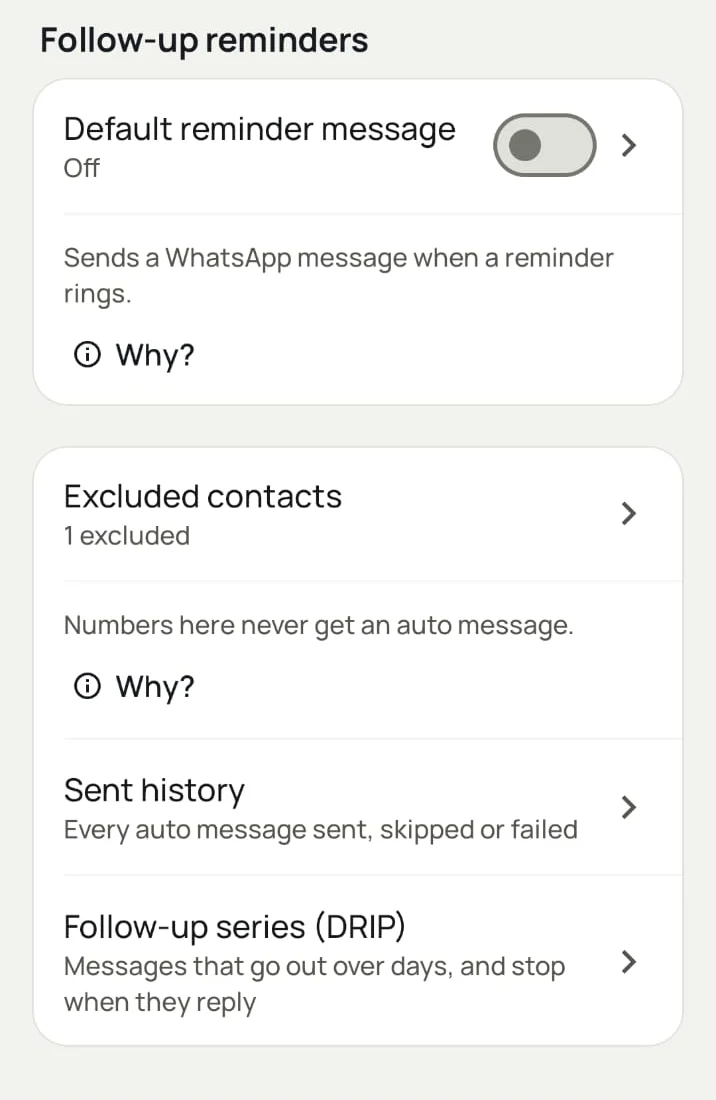
Dialmio’s follow-up reminders ring like an alarm on the caller’s phone. Turn on the default reminder message and the customer gets a WhatsApp at the same moment (“We’ll call you shortly about your enquiry”), so the call is expected and more likely to be picked up.
Controls that keep drips polite
| Control | What it does |
|---|---|
| Stops on reply | No more automatic messages once the customer answers |
| Quiet hours | Holds messages between the times you choose |
| Excluded contacts | Numbers that never get an automatic message |
| Sent history | Every automatic message sent, skipped or failed |
| Master switch | All automatic WhatsApp on or off in one tap |
Drip vs bulk campaign vs single trigger
| Drip campaign | Bulk campaign | Single trigger | |
|---|---|---|---|
| Who gets it | One lead | Many contacts at once | One lead |
| When | Over several days | Now | Right after a call, status change or sale |
| Starts on | Lead status | You press send | Call / status / sale |
| Stops on reply | Yes | No | No |
| Best for | Warming up quiet leads | Offers and announcements | Instant confirmation or brochure |