A caller marks a lead “Interested”. In most offices, what happens next depends on whether the caller remembers to send the brochure. In Dialmio, the brochure goes on its own, and with WappConnect, a chatbot can carry the conversation forward while the caller dials the next number.
Three triggers for automatic WhatsApp
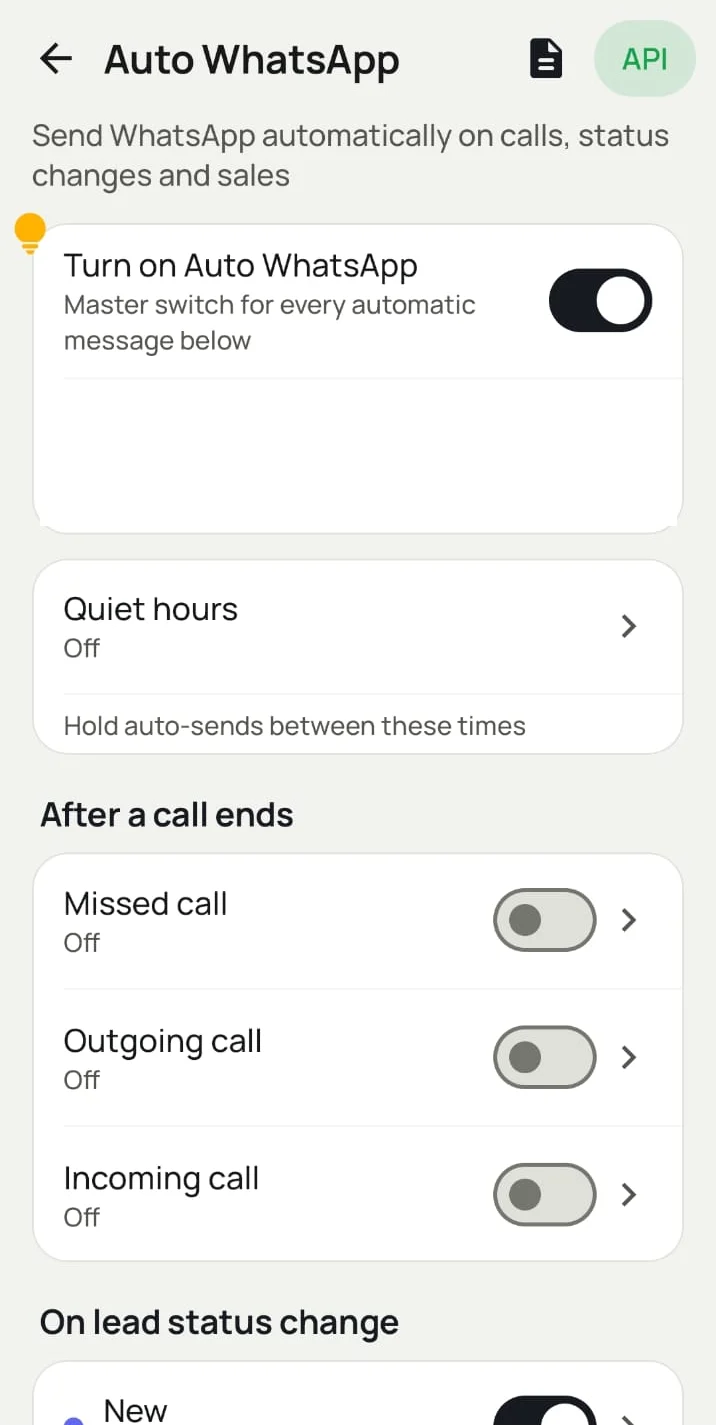
| Trigger | When it fires | Example |
|---|---|---|
| After a call ends | Missed, outgoing or incoming call, each set separately | Missed call → “Sorry we missed you. When can we call back?” |
| On lead status change | Any status, including your custom ones | “Demo scheduled” → date, time and location |
| On a product sale | A client buys a product you have set up | “Website” sold → onboarding steps and documents needed |
Each trigger can send one approved template or start a drip series. For calls, see also auto WhatsApp after call.
Every status can have its own message
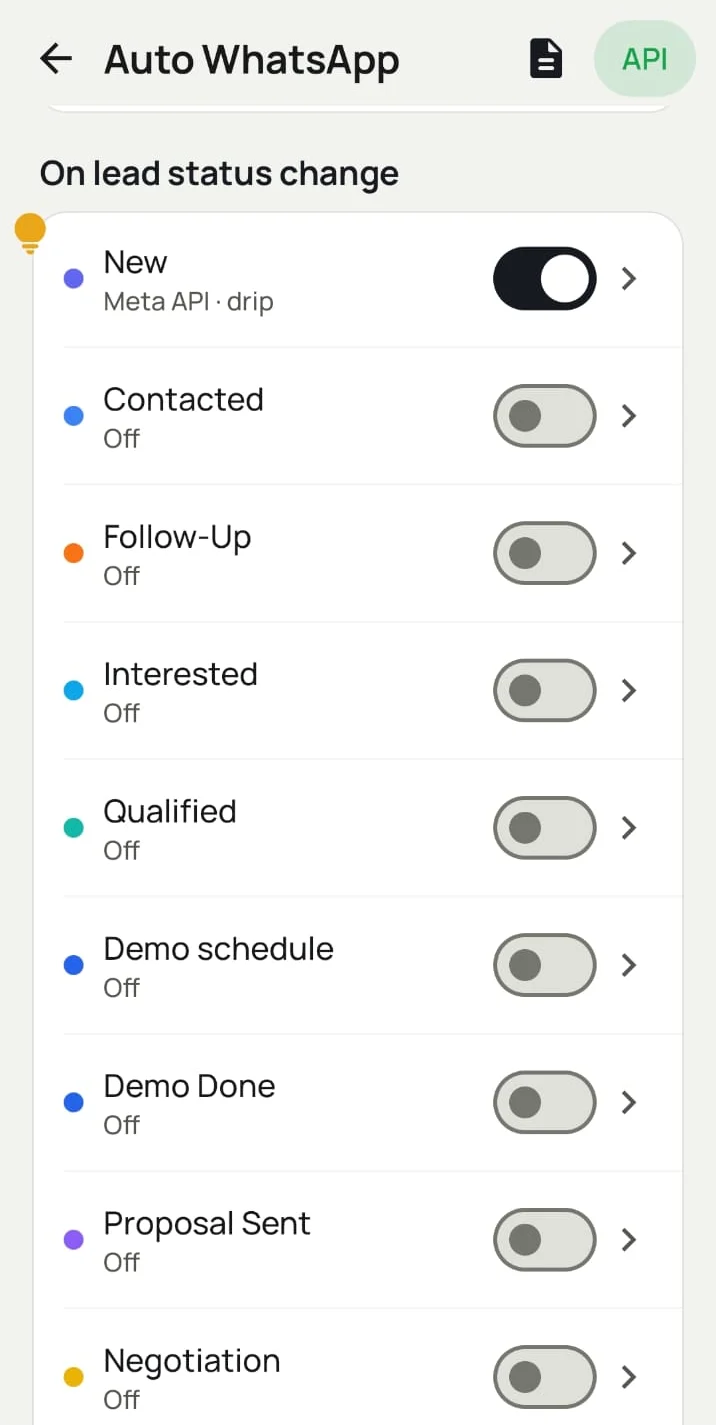
| Status | Automatic WhatsApp |
|---|---|
| New | Welcome + “what are you looking for?”, or a drip over the first week |
| Interested | Brochure / price list + “book a demo?” button |
| Demo scheduled | Confirmation, location and time |
| Proposal sent | “Any questions on the quotation?” |
| No response / unreachable | “We tried calling. When is a good time?” |
| Won | Thank you + payment / onboarding steps |
| Lost | New offer later, by drip |
Statuses are yours to define: teams use ones like Meta WhatsApp Inquiry, Bulk SMS Inquiry or Saturday Club Meeting, each with its own message.
Onboarding the moment you make a sale
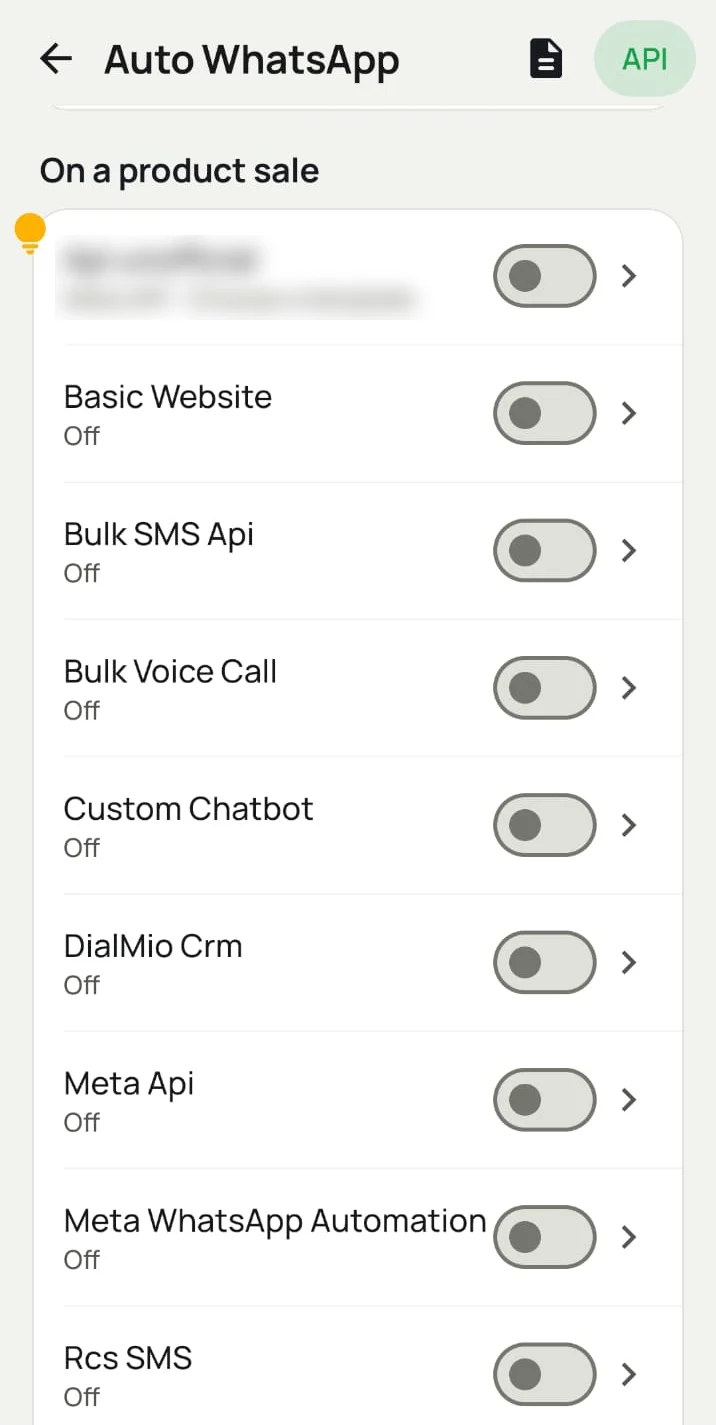
When a lead becomes a paid client, pick the product they bought. Dialmio sends that product’s message (setup steps, documents needed, the support number) without anyone typing it.
Which messages can you trigger?
Any template approved by Meta on your WhatsApp Business account:
| Message type | Example | Reply received | No reply |
|---|---|---|---|
| Text template | “Thanks for calling: here’s what we discussed” | Goes to the WhatsApp CRM inbox for the lead’s owner | Drip sends the next step |
| Media template | Brochure PDF, product video, site photos | Same | Same |
| Button template | “Book a demo” / “Call me back” | Button reply can start a chatbot (WappConnect) | Drip |
| WhatsApp Flow form | Requirements, budget, preferred time, filled inside WhatsApp | Answers saved to the contact (WappConnect) | Drip reminder |
How it runs on a real call
- Caller rings from their own SIM.
- Call ends → the after-call trigger can send a WhatsApp.
- Caller sets the status and a follow-up reminder.
- The status trigger sends that status’s message or starts a drip.
- The customer’s reply lands on the same lead in the inbox. When the reminder rings, a reminder message can go too.
Built-in controls, so automation never spams
| Control | What it does |
|---|---|
| Master switch | Turns every automatic message on or off in one tap |
| Quiet hours | Holds automatic messages between the times you choose |
| Excluded contacts | Numbers that never get an automatic message: family, staff, VIPs |
| Sent history | Every automatic message sent, skipped or failed |
| Drip stops on reply | Follow-ups end as soon as the customer answers |
With WappConnect: chatbots and forms on lead status
When your WhatsApp API is WappConnect, a status change can start a full conversation:
- Template with a button: “We can automate parts of your business. Would you like to explore?”
- Chatbot: the customer taps Yes; the bot replies and asks the next question.
- WhatsApp Flow form: the customer fills a short form inside WhatsApp: which services, a description, the preferred next step.
- Back in Dialmio: the answers show on the contact (for example Engaged), so the caller knows exactly what to discuss.
The caller never typed a message, and the customer was engaged within minutes of the call.
Using your own CRM or another WhatsApp platform?
Dialmio’s Outbound API gives any other system one secret URL to read your Dialmio data:
| What it can read | Filters |
|---|---|
| Leads with status, source, interest, budget, products and custom fields | Date range |
| Call logs and outcomes | Branch |
| Follow-ups and next follow-up time | Employee |
| Remarks and call recordings | Rows per page |
Your CRM, Google Sheets, Zapier, n8n or WhatsApp platform checks it on a schedule (up to 60 requests a minute) and starts its own chatbot or flow when a lead’s status changes. A developer guide, a Postman collection and examples in cURL, PHP, Node.js and Python are included. See Dialmio API.
Which option fits you?
| You use | What you get |
|---|---|
| Any WhatsApp Business API | Auto messages after calls, on status change and on product sale; drips; reminder messages; reports |
| WappConnect | All of the above + chatbots and WhatsApp Flow forms on lead status, with answers back in Dialmio |
| Your own CRM / another WhatsApp platform | Outbound API: your system reads Dialmio lead status and runs its own automation |
Industry examples
| Industry | Automation |
|---|---|
| Real estate | “Site visit booked” → location + time; “Lost” → new project launch by drip |
| Coaching | “Interested” → course brochure PDF + counselling-slot form (WappConnect Flow) |
| Clinics | “Visited” → Google review request; reminder message before the follow-up visit |
| Insurance | “Documents pending” → checklist; renewal message to paid clients |
| Agencies / SaaS | Product sold → onboarding steps; “Demo done” → proposal follow-up drip |
Download Dialmio free · See the automation live on a WhatsApp demo