The list you already own is the cheapest list you will ever work.
Upload leads from Excel and call them with the Dialmio auto dialer
Dialmio turns an Excel or CSV file into callable leads: match columns once, tag the source, merge duplicates by number, then start dialing.
Three days free, nothing locked, no card.

How do I upload leads from Excel into Dialmio?
To upload leads from Excel into Dialmio, open the importer and hand it the file, identify the column holding phone numbers along with any others worth keeping such as name, city or budget, then label the batch with a source so that reports can later show what that particular list was worth. Even several thousand rows are read in within minutes, and any number the account already knows joins the record sitting there instead of appearing a second time, which protects the history on customers somebody has spoken to before. What lands is not an inert archive either: an imported batch behaves exactly like every other list in the app, so it can be divided across the team, narrowed to a single stage, worked straight through by the auto dialer, or sent a WhatsApp campaign the same evening it arrives.
In short
- An Excel or CSV file, or numbers pasted straight in
- Column mapping done once, then remembered
- Duplicates merge into the record already there
- The batch dials, filters and messages like any list
At a glance
Excel and CSV lead import: what does the feature do, and where does it stop?
| Excel and CSV lead import | |
|---|---|
| What it does | An old spreadsheet becomes a callable list, duplicates merged, source tagged. |
| Best for | Businesses holding old enquiry spreadsheets that nobody has called in months |
| Where it runs | Any Android 8 or newer phone, calling on its own SIM; the owner dashboard opens in any browser |
| What is included | Part of the one plan, ₹162 per user each month on the yearly plan, or ₹249 on the three-month plan, taxes extra, with no per-minute or per-lead charge |
| Limits | There is no one-click undo; a wrong batch is removed by its source tag, with delete rights |
Facts checked September 2026.
How it works
How do you set up and use excel and CSV lead import?
-
01Bring the file
Upload an Excel or CSV file from the dashboard, or paste a column of numbers straight into the app when the list is short and came from a message.
-
02Match the columns once
Say which column is the phone number and which are the name, the city, the budget or whatever else you keep. Tag the batch with a source so its performance can be judged later.
Dialmio owner dashboard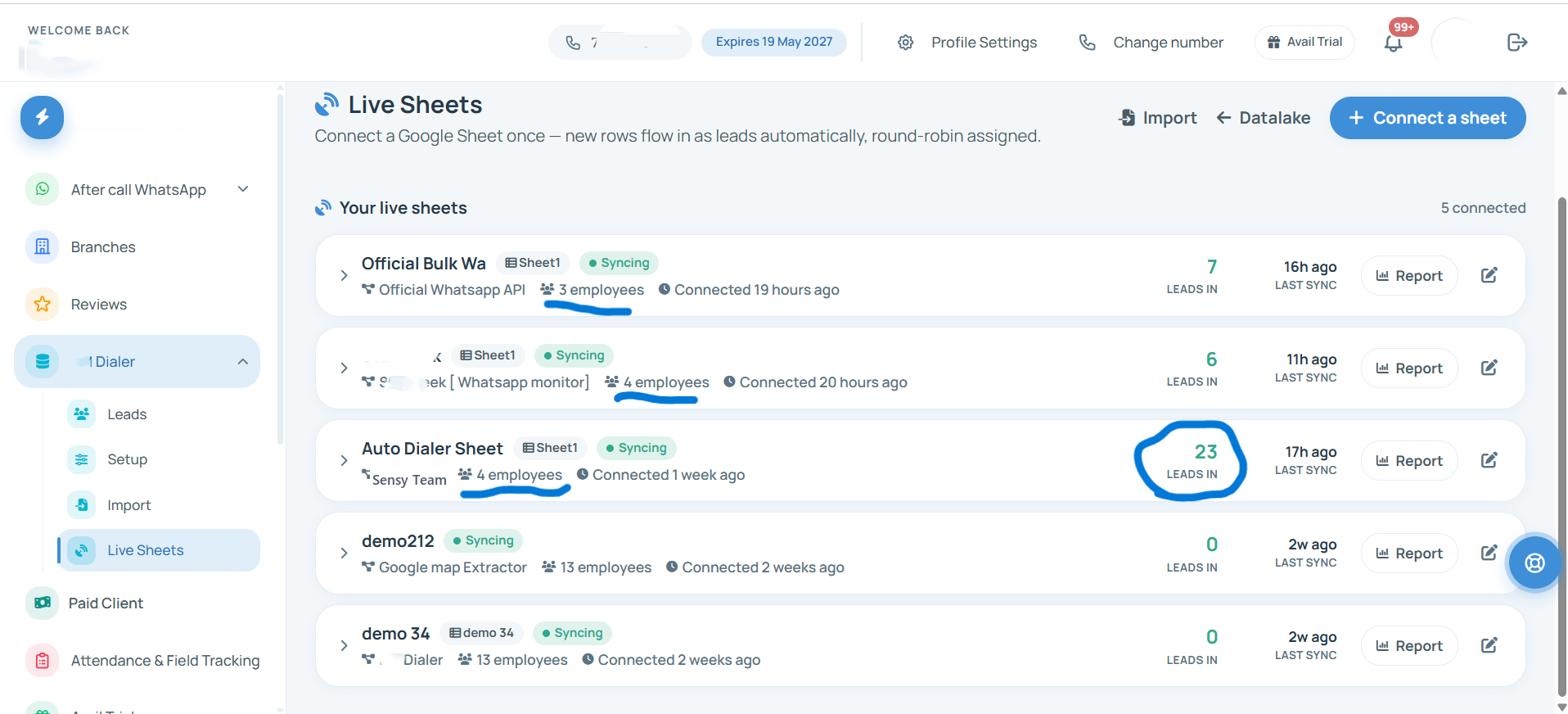
-
03Split it and start calling
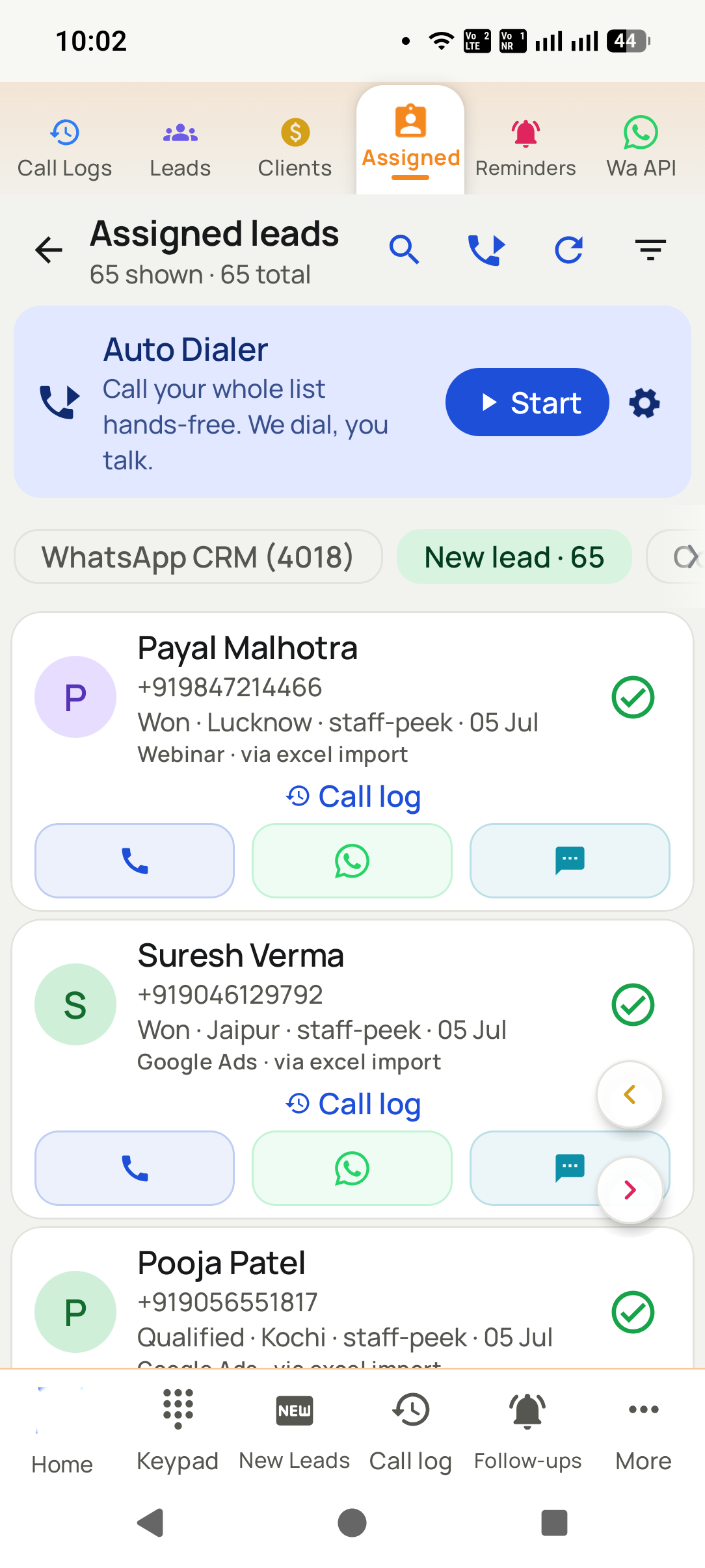
The rows arrive as leads with duplicates already merged. Divide the batch among callers, filter it to a stage, and press start on the auto dialer.


What you get
What do you get with excel and CSV lead import?
Your columns, not ours
Files arrive in whatever shape a business built over the years. Map them once and Dialmio remembers the arrangement for the next file from the same place.
Duplicates handled on the way in
Matching happens on the number, so three spellings of one buyer name do not become three leads, and the history you already hold survives the import.
A source tag on every batch
Tagging the file as the 2024 exhibition list or the old website enquiries means the report can later say which of those was worth the calling time.
Thousands of rows at once
A file with several thousand enquiries goes in as one job rather than in pieces, which is what makes clearing an old archive feasible at all.
Immediately callable
The batch is a list like any other, so a team can start dialing it the same evening rather than waiting for somebody to organise it.
Split across the team
A long list divides among the callers you choose, so a five thousand row archive becomes five manageable queues rather than one nobody starts.
From teams using Dialmio
What do owners and callers say about Dialmio?
My worry was the team refusing yet another app. By day three nobody had said a word about it, and silence after a system change is the highest praise a team gives.
Nine thousand rows of old enquiries went in from one Excel file with the source column intact. I had been putting that off for a year.
Duplicates were killing our sheet: the same buyer under three spellings. Here the number is the record, so he exists once with his full history.
These are the words of customers who agreed to be quoted this way, sent over WhatsApp or said on a call, shortened only where they ran long. No star total or review count is published, because there is no public rating page to point at yet. Last checked September 2026.
Questions
What do people ask about excel and CSV lead import?
How do I upload leads from Excel into Dialmio?
To upload leads from Excel into Dialmio, open the importer and hand it the file, identify the column holding phone numbers along with any others worth keeping such as name, city or budget, then label the batch with a source so that reports can later show what that particular list was worth. Even several thousand rows are read in within minutes, and any number the account already knows joins the record sitting there instead of appearing a second time, which protects the history on customers somebody has spoken to before. What lands is not an inert archive either: an imported batch behaves exactly like every other list in the app, so it can be divided across the team, narrowed to a single stage, worked straight through by the auto dialer, or sent a WhatsApp campaign the same evening it arrives.
What file formats can I import?
Excel workbooks and CSV files, which covers what almost every business already has, plus a paste box for a column of numbers arriving in a message. There is no template to download first: the importer adapts to the file you have.
What happens to numbers already in the account?
They merge into the record that exists rather than creating a second one. The imported details fill any blank fields, the existing call history stays intact, and the new source is recorded against that lead as well.
Can I undo an import?
A batch can be identified by its source tag and removed by somebody with the delete permission, which is the practical way to reverse a file that turned out to be the wrong one.
Do imported leads get assigned automatically?
You choose. A batch can be split in rotation across selected callers during the import, or left unassigned for a manager to allocate afterwards from the dashboard.
Will the import handle numbers with country codes and spaces?
Yes. Numbers are cleaned as they arrive, so leading zeros, spaces, brackets and country codes in the file do not stop a row from becoming a callable lead.
Is there a limit on import size?
No practical limit for the file sizes businesses actually hold. Very large files are processed in the background, so the dashboard stays usable while several thousand rows are read in.
Can I define my own lead statuses?
Yes, in your own words, and rename or reorder them whenever you like. The stages you set shape the lists, the filters and the reports, so a business selling site visits and one selling policies each see a pipeline that looks like their own.
Do you help with onboarding in Hindi or Marathi?
Yes. Setup and training calls happen in English, Hindi or Marathi, whichever the team is comfortable in, and each caller can read the app itself in any of forty languages.
How do new leads reach the right caller?
Connect Dialmio to wherever enquiries already land, a Google Sheet or a web address, and it keeps checking that source. New entries are imported every few minutes, labelled with the source, dealt out in turn among the callers you picked, and announced on the phone of whoever received them.
Can I auto dial an Excel list?
Yes. Once imported, the file behaves like any list in the app: ring straight through it, divide it among the team, or narrow it to a single stage before you press start.
Read next
Which features work alongside it?
Follow-up reminders that ring
Callbacks ring like an alarm at the agreed hour, with the last note already on screen.
OpenLead records and pipeline
Your stages, your fields, one thread per number, updated by the call itself.
OpenCall analytics and talk time
Talk time, connect rate and outcome spread, measured rather than reported.
OpenWhat two years of a shared spreadsheet actually contains
Updated 13 July 2026
Reading your own sheet before you move it
Three people have maintained the file.
Sort each column and look at the bottom. Shared sheets grow dialects. One person writes Interested, another writes INT, a third leaves it blank and puts it in the notes. Sorting surfaces all three in about a minute, and deciding what they meant is work you want to do before an import rather than after one.
A column header says Status and holds four different things.
Split it before importing. A column carrying a stage, a reason and a date all at once cannot be mapped to anything useful. Untangling it in the sheet is straightforward; untangling it afterwards means editing records one at a time.
You think there are duplicates.
Assume there are, and import on the number. Every long-lived sheet has the same customer more than once under slightly different names. Matching on the phone number is what merges them instead of carrying the problem across intact.
What people ask about bringing a sheet across
Which columns are actually required?
A phone number, and nothing else. Everything beyond that is optional and yours to define. A tool insisting on a fixed set of fields is asking you to reshape your business around its form, which is the wrong way round.
What happens to the columns nobody else has?
Map them to fields of your own rather than dropping them. The odd columns a business invented for itself are usually where its actual sales knowledge lives, and losing them in a migration loses years of context nobody can reconstruct.
Will importing twice create everything twice?
Not where numbers are matched and merged. Test that deliberately before a large import: bring in a small file containing a number you already hold and confirm you finish with one record carrying both histories, rather than two.
Do we have to stop calling during the move?
No, and a migration that requires it is one people abandon. Import into the same list the team is already working and let assignment sort out ownership.
What this rests on
- The import behaviour described, including matching on the number, is how Dialmio handles a file.
- The advice about auditing a sheet first is general practice rather than anything specific to our tool.
What this page does not claim
- This is a page about our own import. Test the duplicate behaviour yourself on a small file whichever tool you choose.
Worth quoting
- A phone number is the only genuinely required column in a lead import.
- Shared spreadsheets grow dialects, and sorting each column surfaces them in about a minute.
- A column holding a stage, a reason and a date at once cannot be mapped to anything useful.
- Duplicate prevention has to key on the number, because names are spelled inconsistently.
- The odd columns a business invented for itself usually carry its real sales knowledge.
Put every call your team makes on the record
Three days free, nothing locked, no card.
₹162 per user per month on yearly billing. Every feature in one plan. Prices are per user, exclusive of taxes.